In Codex
Use ChatCut's Change Photo Background in blur mode on portrait.jpg, medium blur, and show me the estimate first.
Upload a photo and get a soft, portrait-mode background while the person or product stays sharp.
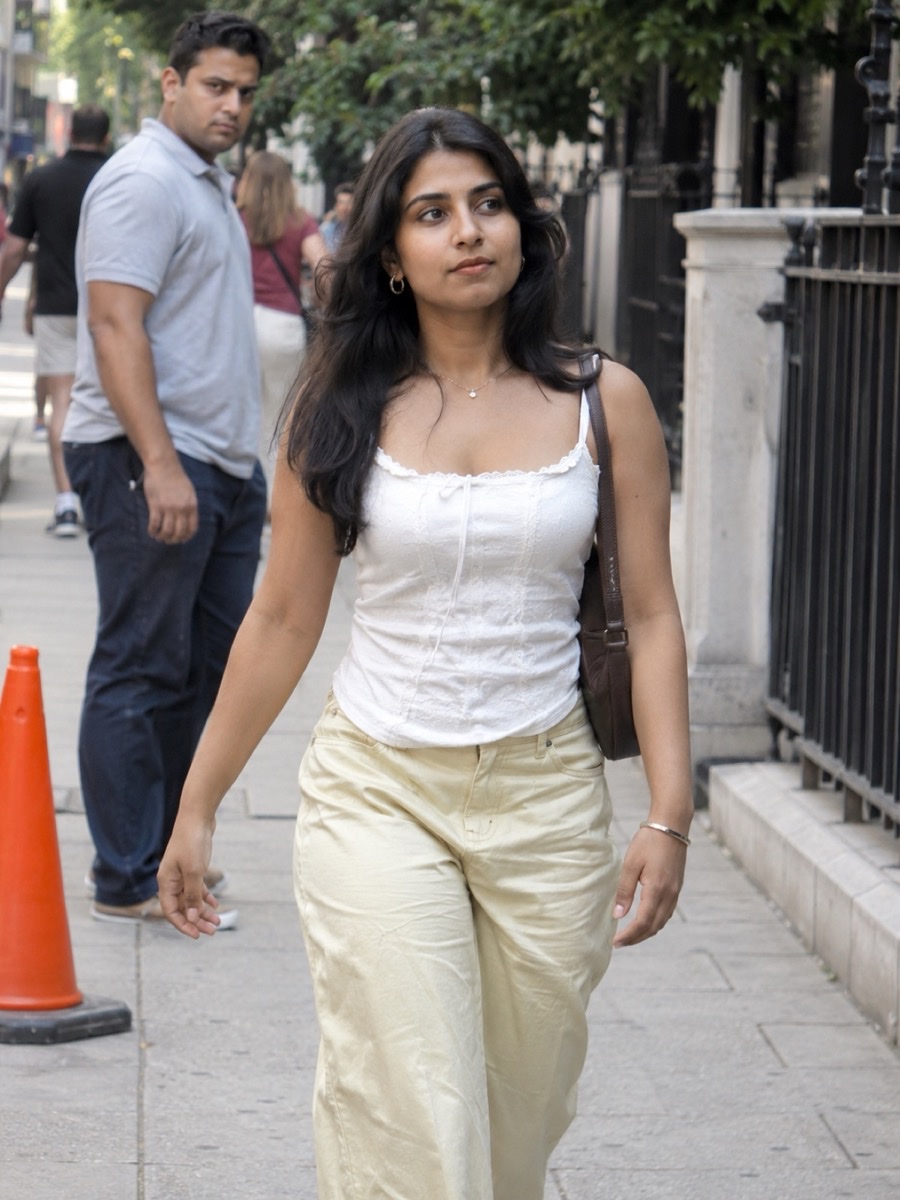 Busy street portrait
 Living-room selfie
 Outdoor portrait
 Product on a table





Trusted by 400,000+ creators
Works on photos you already took, from any camera.
Light for a hint of depth, medium for a classic portrait look, strong for a creamy background.
The person or product isn't changed. Only what's behind it goes soft.
Hair, shoulders and product outlines are kept clean. Look closely at fine hair before you use it.
Switch to replace to put the subject in a studio, an office or a scene you describe.
Pick the strength and let ChatCut do the rest.
Upload a photo of a person or a product, or try one of the samples.
Blur is already selected. Choose light, medium or strong, and one or two versions.
Check the estimate, compare with the original, and download the version you like.
Keep the eye on what matters in the photo.
Soften a busy office, street or room behind you for a cleaner headshot.
Make a product stand out from a cluttered table or shelf.
Add depth to photos taken without portrait mode or on an older phone.
Connect ChatCut in Codex or Claude Code and point it at the photo.
In Codex
Use ChatCut's Change Photo Background in blur mode on portrait.jpg, medium blur, and show me the estimate first.
In Claude Code
Use ChatCut to blur the background of sneaker.png strongly and keep the shoe exactly as it is.
Also on Grok and Antigravity. See all plugins.
Sharpen the subject, remove people from the background, or swap the background entirely in the same ChatCut project.
100+ Skills. No experience needed. Start in one click.
Unlock member features, models, and export allowances. Get more credits every month
Billed annually · $252
16% offBilled annually · $456
24% offBilled annually · $864
28% offBilled annually · $1692
30% off$0No credit card required
Some features are completely free in Codex, Claude, and WorkBuddy. Learn More
| Credits per month | Monthly | Annual |
|---|---|---|
| Starter · 100 credits / month | $25/month Billed monthly | $21/month $252 · Billed annually |
| Plus · 200 credits / month | $48/month Billed monthly | $38/month $456 · Billed annually |
| Pro · 400 credits / month | $92/month Billed monthly | $72/month $864 · Billed annually |
| Max · 800 credits / month | $180/month Billed monthly | $141/month $1692 · Billed annually |
| Max · 1,200 credits / month | $270/month Billed monthly | $211/month $2532 · Billed annually |
| Max · 2,000 credits / month | $450/month Billed monthly | $351/month $4212 · Billed annually |
It works on any photo after it was taken, including ones from older phones or cameras, and you can choose how strong the blur is.
Yes: light, medium or strong.
No. The subject is kept as it is and only the background is blurred. Check hair and fine edges before you use it.
Yes. Switch the mode to replace and pick a studio, office, city, beach or garden, or describe your own.
Each result uses credits. Image generation needs a paid plan, and you see the estimate before it runs.
Guides: Image generation
AI apps
Convert & compress
Edit video
Audio & voice